Updating Booking Hours
To update your booking hours through the BookRX platform, please follow these steps:
Step 1: Access Booking Hours
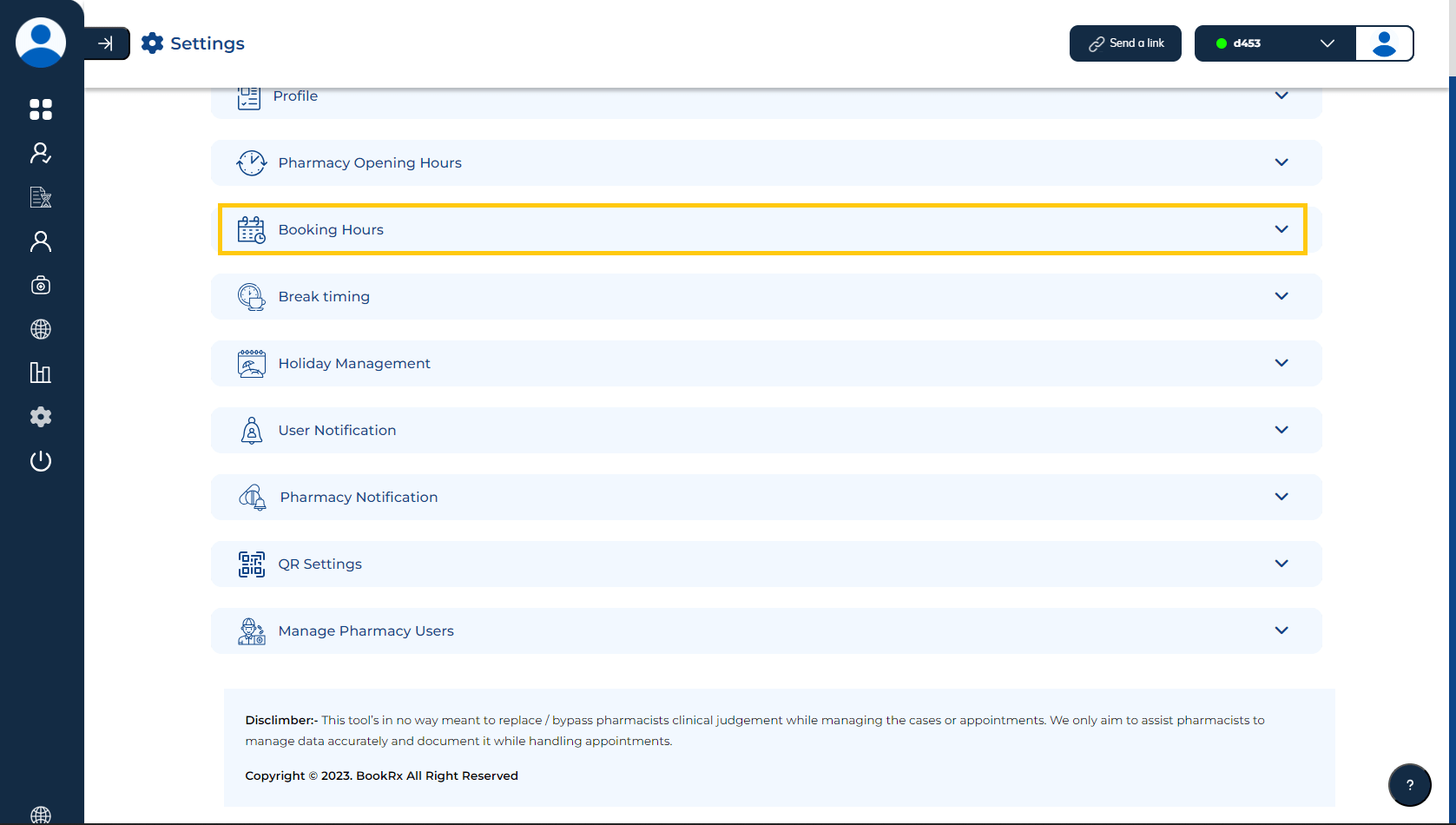
Click on the dropdown menu located within the "Booking Hours" tab.
Step 2: Adjust Start and End Time
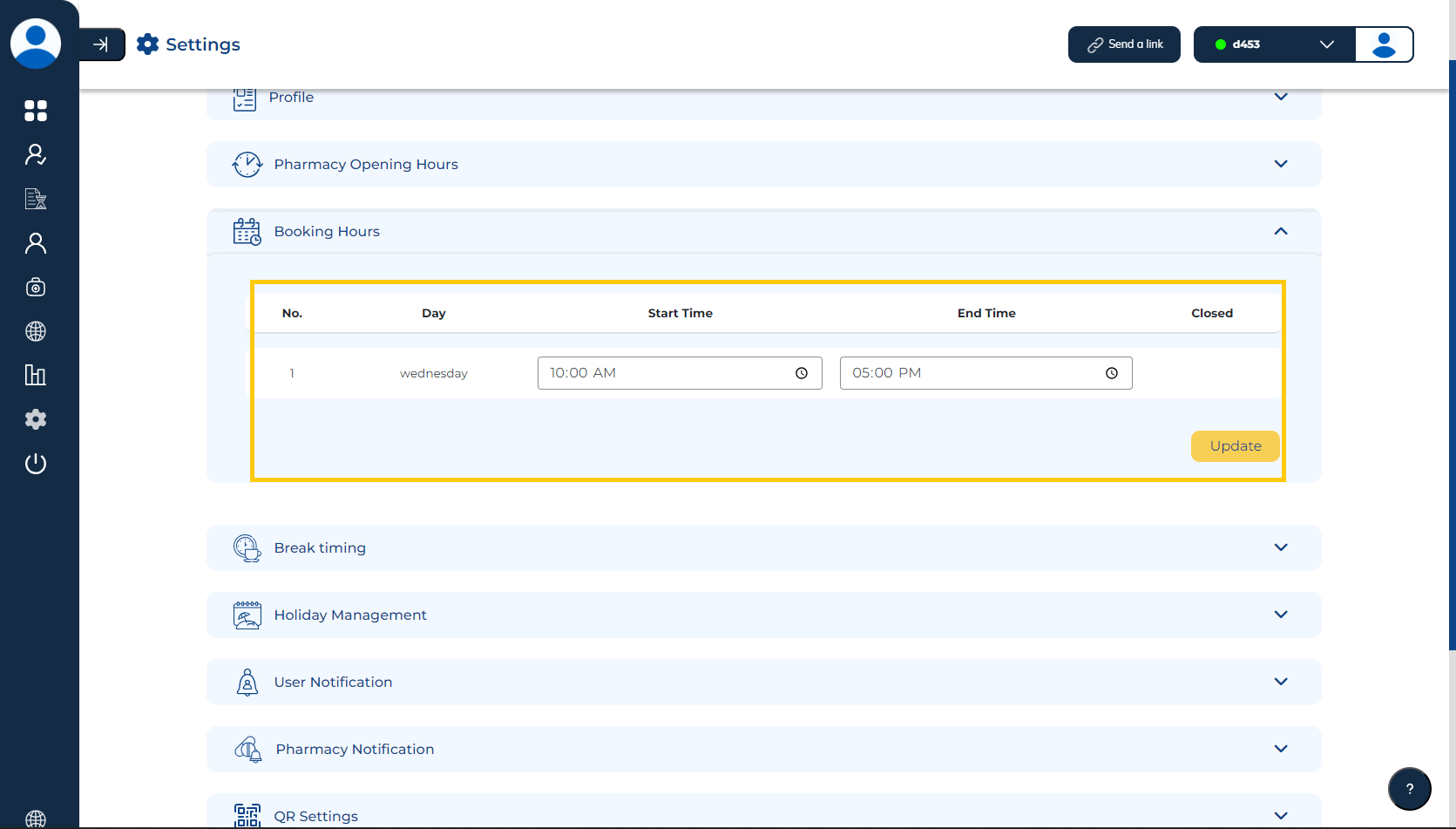
You have the flexibility to adjust your "Start Time" and "End Time" according to your specific needs.
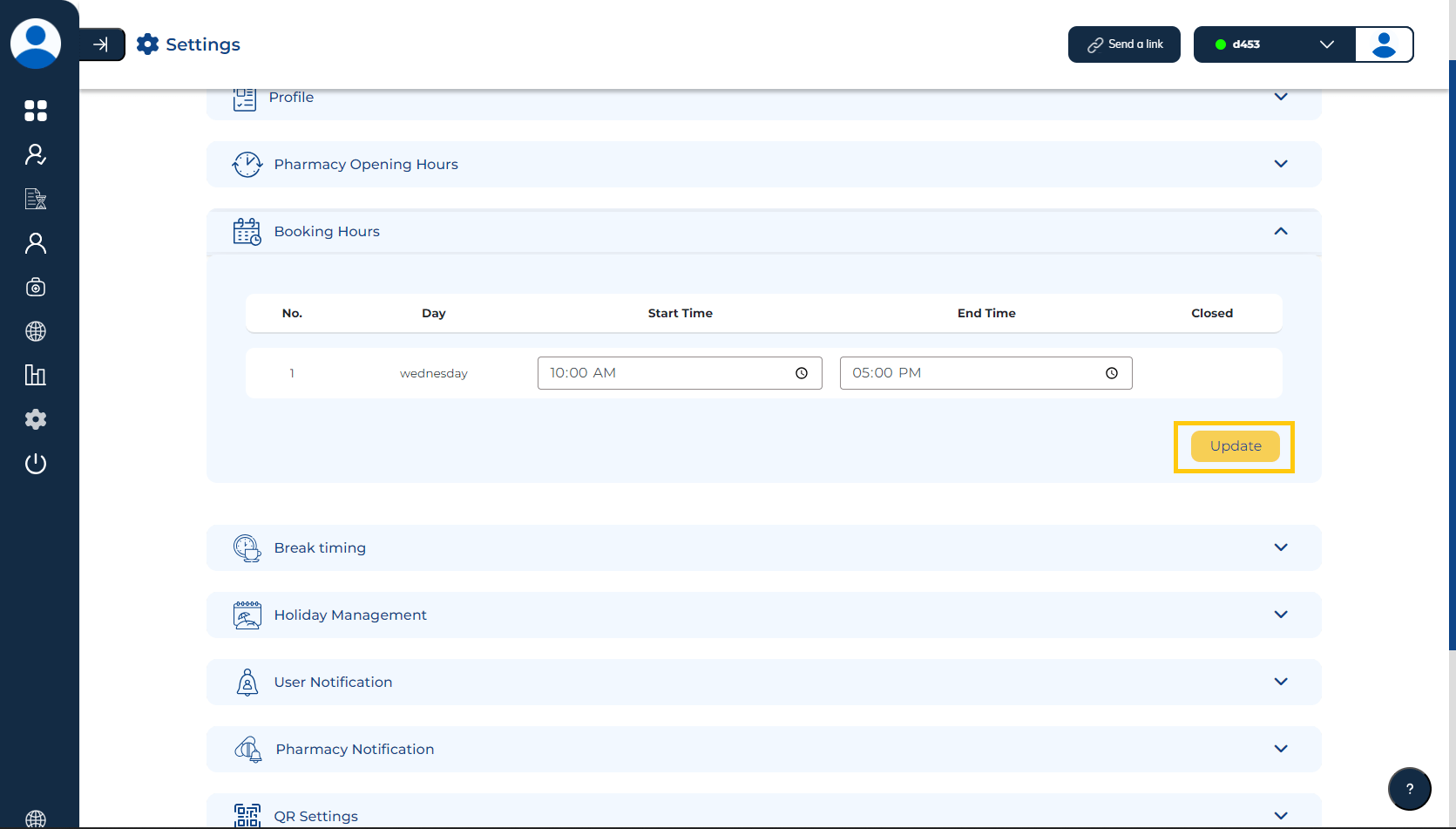
Step 3: Save Changes
Be sure to click on the "Save" button to save your profile updates.